Skip to content

Custom YouTube feeds

Organize your YouTube subscriptions by interest

Group channels into custom feeds, right inside YouTube. Catch up on one topic without distractions from your other subscriptions.

  • Free to use
  • No account required
  • Data stored in your browser
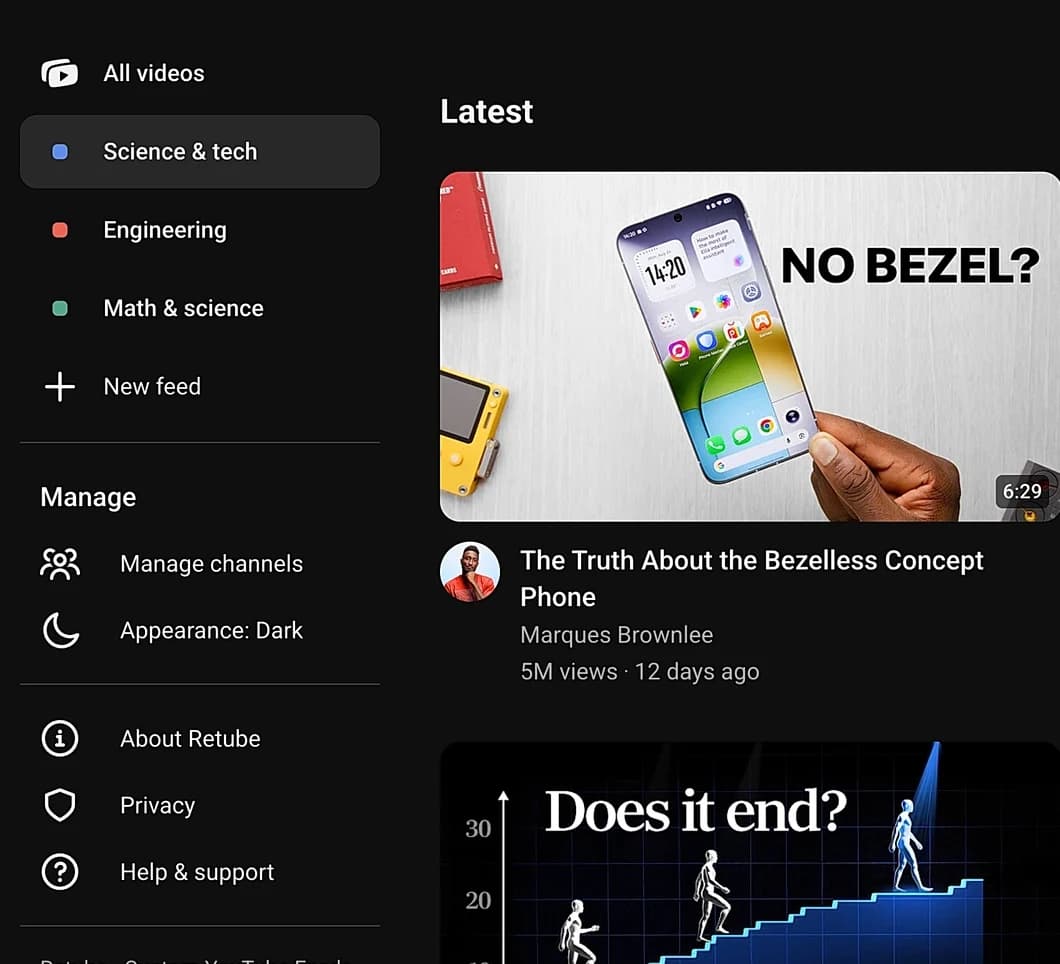
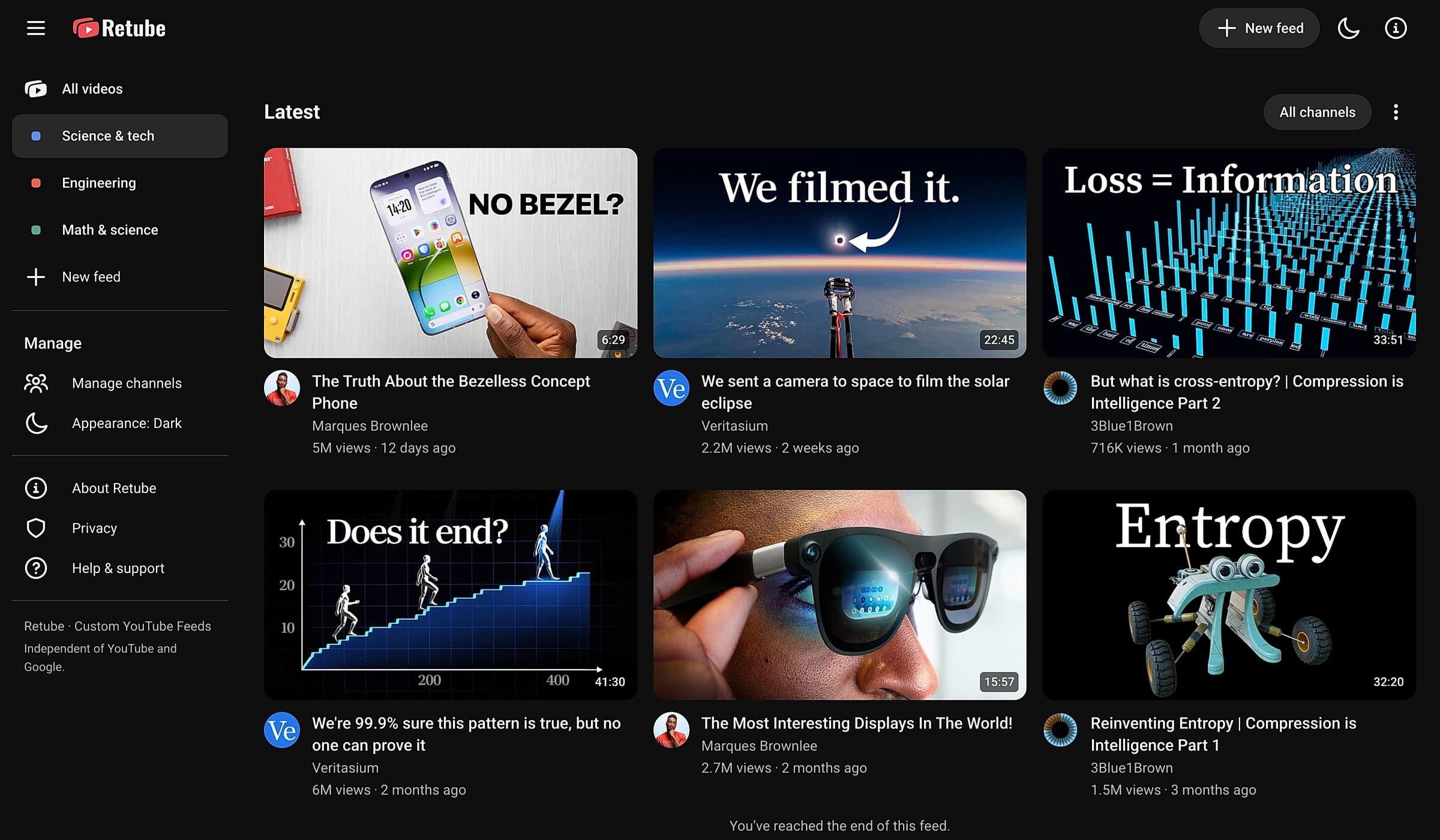
Retube’s real Science & tech feed, with a sidebar of custom feeds and videos from Marques Brownlee, Veritasium, and 3Blue1Brown.

You love every channel you follow. Just not all at once. Science explainers, recipes, and tech reviews all land in the same Subscriptions feed, even when you only want one of them.

YouTube subscriptions

One mixed feed.

  • Every topic mixed into one endless list
  • Scroll past recipes to find a science video
  • Miss uploads from smaller channels
With Retube

A feed for each interest.

  • Open one topic from YouTube’s sidebar
  • Only the channels you put there, newest first
  • Switch feeds when you’re in a different mood

One mixed feed.

Subscriptions
  • 29:54
    Google Maps is unreasonably fastScience & tech

  • 31:19
    How to make the world’s best chickenCooking

  • 19:15
    Are beavers actually good at dams?Engineering

  • 13:56
    How are memories stored inside your brain?Science & tech
  • 20:00
    Every level of Mexican street foodCooking

  • 29:26
    I made an apple peel itselfEngineering
A feed for each interest.

Science & tech

  • 29:54
    Google Maps is unreasonably fast
  • 13:56
    How are memories stored inside your brain?

Cooking

  • 31:19
    How to make the world’s best chicken
  • 20:00
    Every level of Mexican street food

Engineering

  • 19:15
    Are beavers actually good at dams?
  • 29:26
    I made an apple peel itself

The same channels, organized by you into separate feeds.

Your interests, organized

A feed for each of your interests.

Group channels into feeds for the topics you enjoy. Open a feed from YouTube’s sidebar to see videos from just those channels. Switch feeds when you’re in the mood for something else.

  • Science & tech

    Explainers, discoveries, and tech reviews.

  • Cooking

    Recipes, techniques, and ideas for dinner.

  • Engineering

    Builds, experiments, and how things work.

A channel can belong to more than one feed. You decide where it fits.

Science & tech

Explainers, discoveries, and tech reviews.

29:54
13:56
26:58

Cooking

Recipes, techniques, and ideas for dinner.

31:19
20:00
34:35

Engineering

Builds, experiments, and how things work.

19:15
29:26
17:56

Your first feed, in three steps.

Start with one interest and a few channels you enjoy.

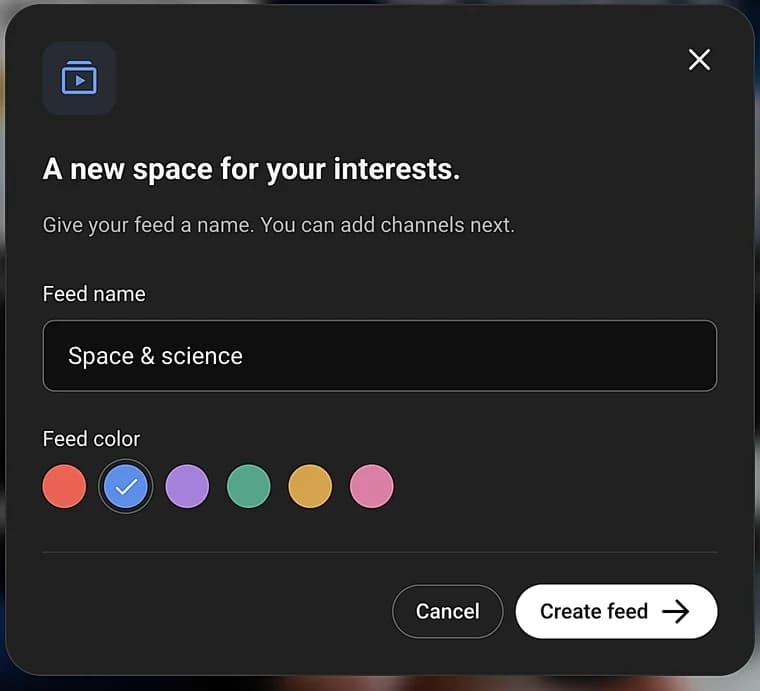
01Create a feed.

Name it after an interest, a hobby, or something you’re learning. You decide what belongs together.

Retube’s create-feed dialog with name and feed color controls

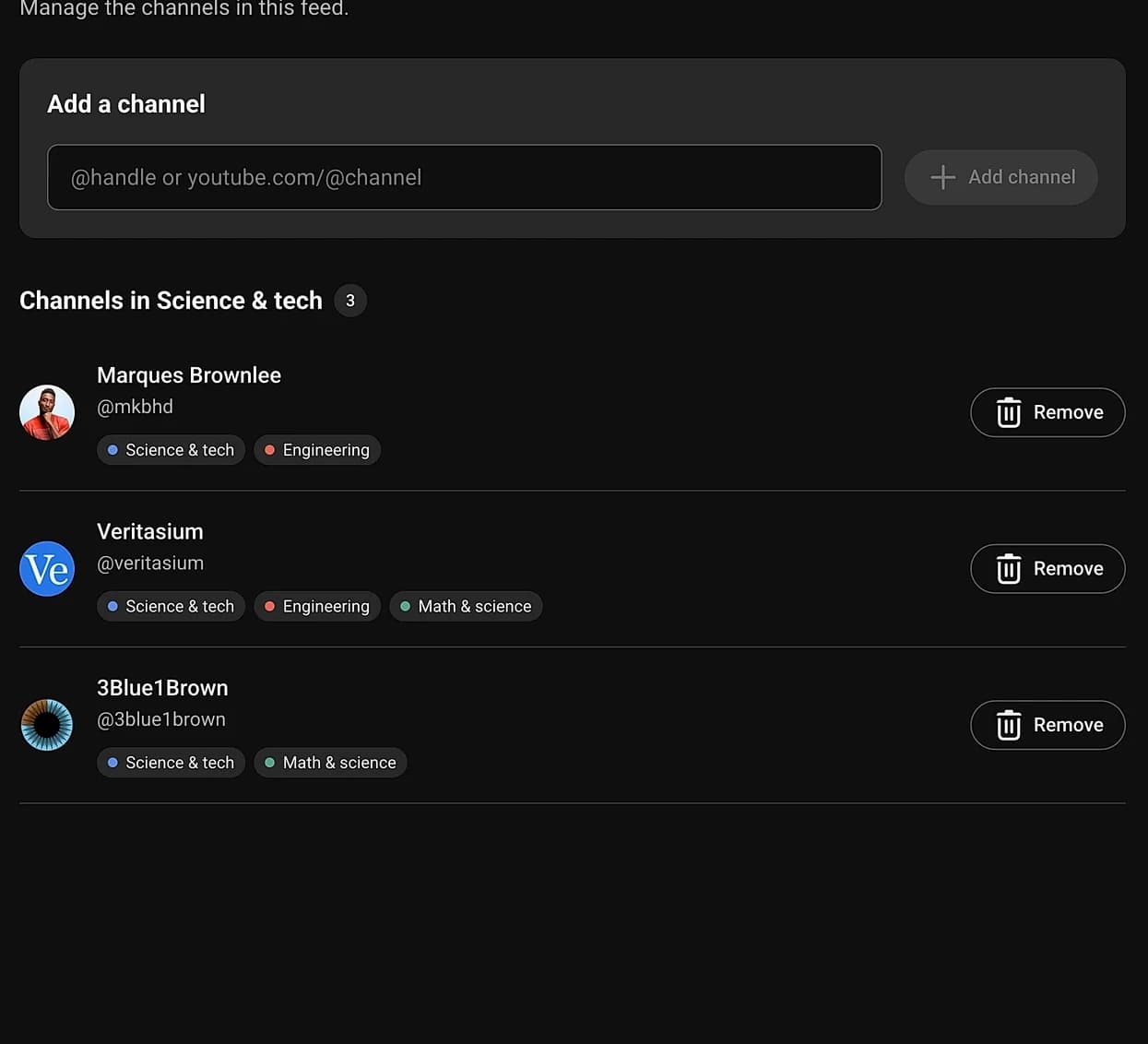
02Add your channels.

Paste their YouTube @handles or channel links. A channel can belong to more than one feed.

Retube’s add-channel form and the channels added to Science & tech

03Browse your feed.

Open your feed from YouTube’s sidebar and see videos from the channels you added, all together.

Custom feed sidebar beside videos from the channels in that feed

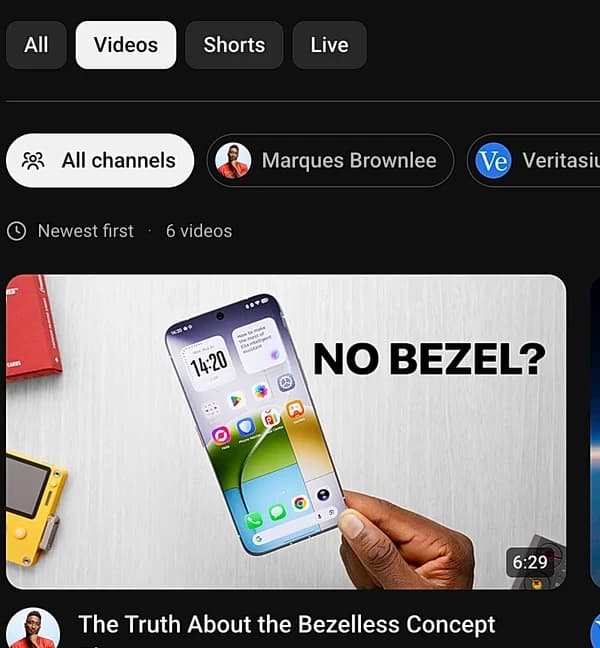
Filter and search within your feed. Narrow it to one channel or video type, or search for a specific video.

Focus on one channel.

See videos from one channel without leaving your feed. Switch back to all channels whenever you like.

Choose a video type.

Switch between videos, Shorts, and live uploads to match what you feel like watching.

Retube’s All, Videos, Shorts, and Live filter controls above the feed

Search your feed.

Find a video by its title or channel name. Search works across the videos loaded in your feed.

Privacy & your data

Your data stays in your browser.

Retube works entirely inside your browser. There is no server, no account, and nothing to sync.

  • Stored on your device

    Your feeds, channels, and settings live in your browser. They never leave it.

  • No account required

    Install and start grouping channels. No sign-up, no email, nothing to remember.

  • No tracking, no analytics

    Retube doesn’t collect your feed library or watch what you watch.

Read the privacy policy

Back up your data. Take it with you.

Export a backup to:

  • Move your feeds to another browser profile.
  • Restore your setup after reinstalling.
  • Share your feeds with friends and family.

FAQ

Frequently asked questions

Still have a question? Read the help guide

Is Retube free to use?

Yes. Retube is free, with no account or API key required.

Will Retube import my subscriptions automatically?

No. You add channels by their YouTube @handles or links and choose which feeds they belong to. Retube doesn’t read or change your YouTube subscription list.

Can I add channels I’m not subscribed to?

Yes. You can add public channels to your feeds without subscribing to them on YouTube.

Can I use Retube outside YouTube?

Yes. Open the Retube extension to browse your feeds on a separate page. You can use either view, and videos still play on YouTube.

Can I move my feeds to another device?

Yes. Export a backup, then import it into Retube on the other device. Your feeds are stored in your browser and don’t sync automatically.

Create your first custom feed.

Start with the channels you love. Group them by interest and choose what you’re in the mood to watch.

Free to use. No account required.